How can I change precedent and dependent arrow colors? (LibreOffice)

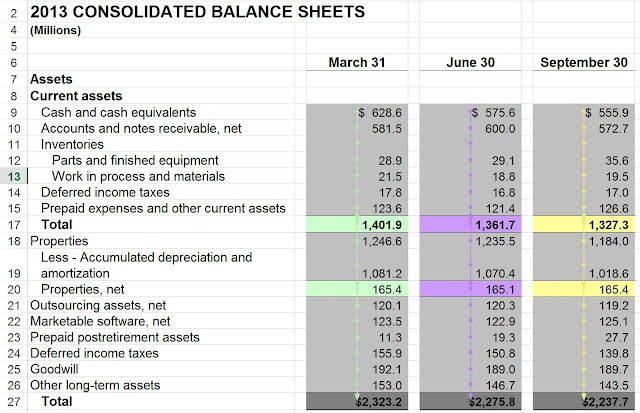
In LibreOffice Calc, we can choose the color for the precedent / dependent arrows. In LibreOffice (v5.3), choose Tools/Options/LibreOffice/Application Colors You can select the color for "Detective" colors. "Detective" is the equivalent to Excel's precedent and dependent tracing. Color for Detective Arrows (Precedents and Dependents) Note that LibreOffice changes all Detective arrows, including those that are already drawn, to the new color. It is not possible to get two colors for the arrows in the same screen. However, with Basic programming in LibreOffice, it is possible to trace with different colors in the same sheet (worksheet). This is shown in the following diagram, with the software extension described in this book: Easily understand your spreadsheet model and detect errors with influence charts (For LibreOffice Calc) LibreOffice. Different Precedent Arrow Colors