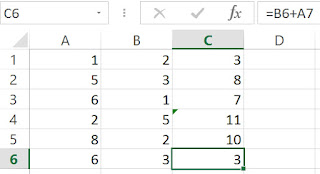
Who is the odd man out? (LibreOffice Calc)
In the previous posts, we see how we can use Excel to identify a cell with an inconsistent formula compared to its neighbors. The aim is to identify potential errors, or inconsistent designs. For LibreOffice Calc users, similar methods are available, as listed in the following table. Method Excel LibreOffice Calc Show Formula Yes Yes Show R1C1 Formula Yes (Check Options) Yes (Check Options) Formula Error Flag Yes (Check Options) - Row / Column Differences Yes (Find and Select / Go To Special) - (There is a similar function, but it needs a macro program.) Precedent Arrows Single-cell Precedents Yes (Formula Auditing / Trace Precedents) Yes (Detective / Trace Precedents) Multiple-cell Precedents Need a macro (e.g. VisualCheck or Power Formula Auditing ) Need a macro (e.g., VisualCheck for LibreOffice or Power ...